 Lightmorphic Text
Your Espanso snippets, without the YAML
Lightmorphic Text is a graphical front end for Espanso, the text expander. Browse, search, add and edit your expansions without ever opening a configuration file.
What it does
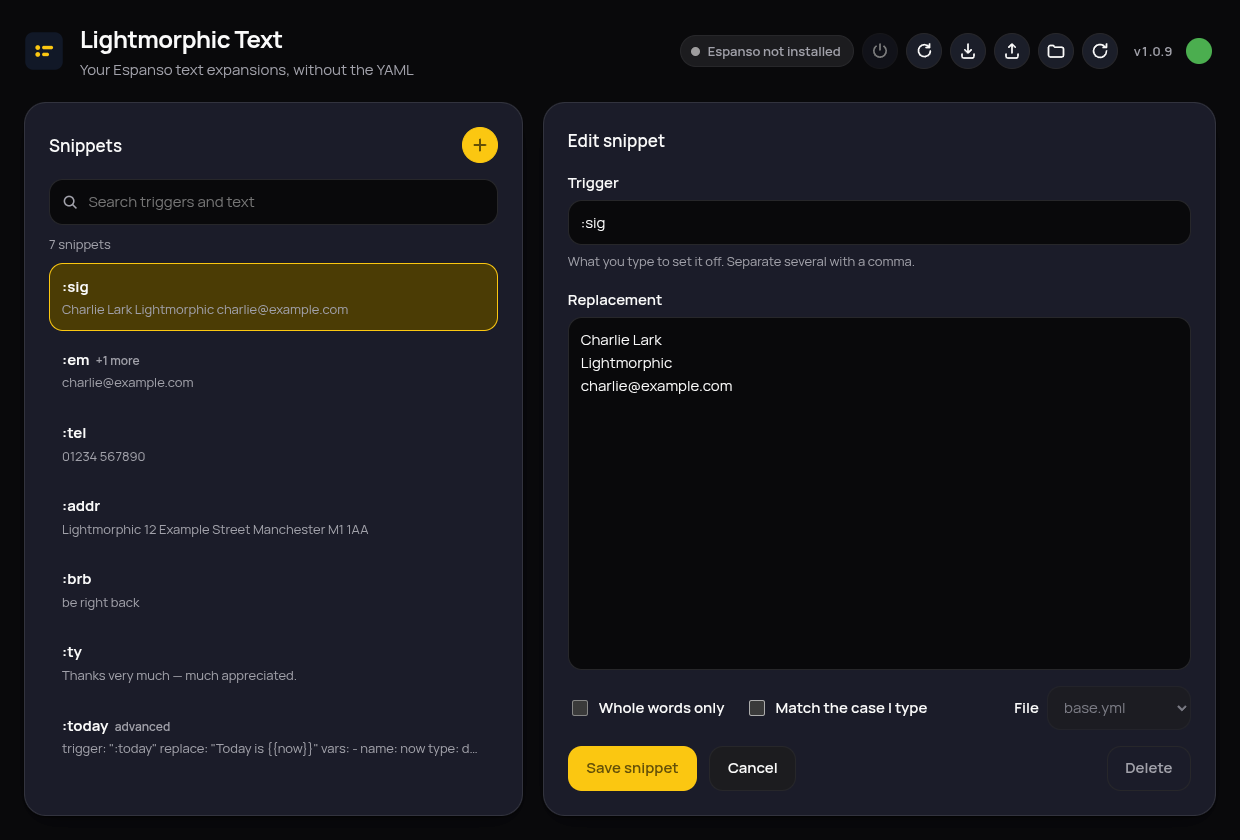
Every snippet in one searchable list
Lightmorphic Text reads all the match files in your Espanso configuration and shows every trigger with its replacement. Search matches both as you type, so a half-remembered snippet is a few keystrokes away.
A form, not a text editor
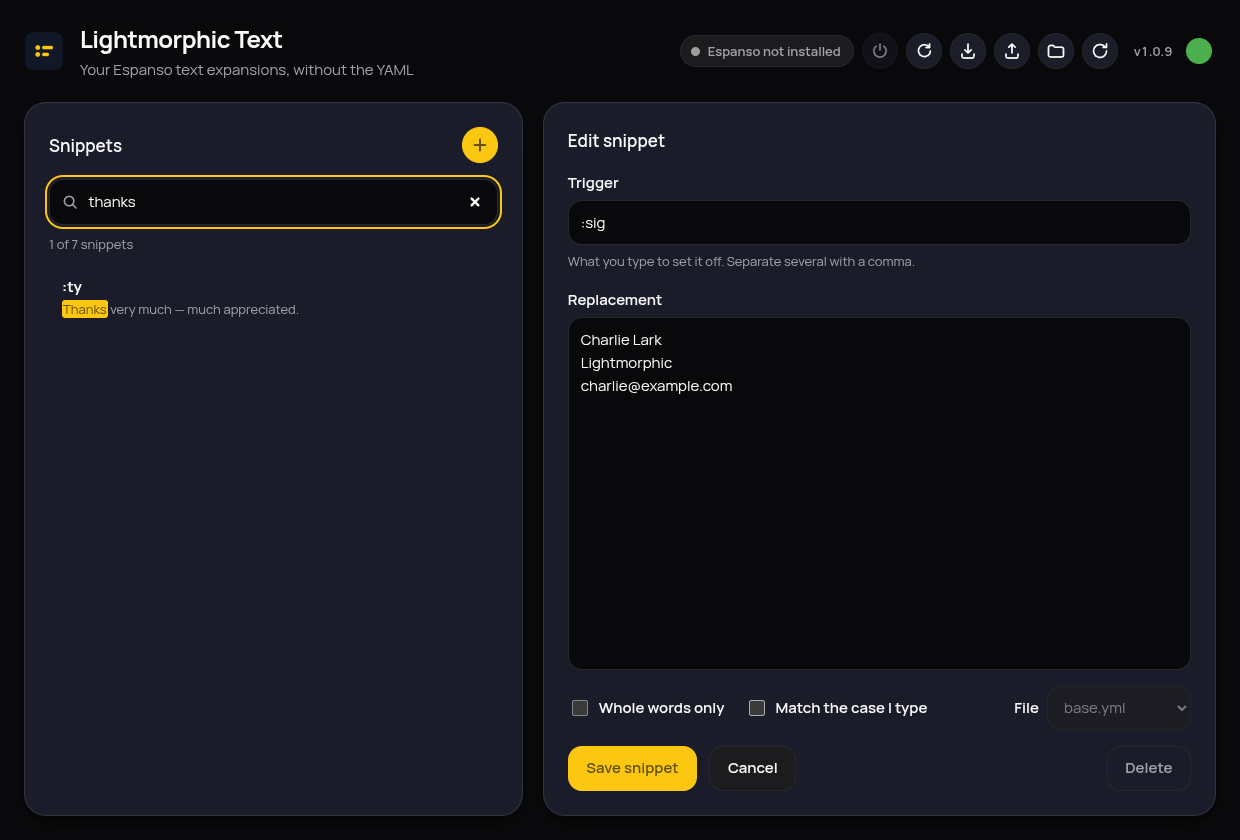
Trigger, replacement, whole-words-only and case matching. That's the whole thing, no syntax to learn, nothing to indent.
Your files stay yours
Comments, key order, blank lines and quoting are preserved; only the values you actually changed get rewritten. Every save keeps a backup first.
Advanced snippets are left alone
Anything using variables, forms, scripts or regular expressions is listed and shown exactly as it appears in the file, marked read-only, and never quietly rewritten.
Changes take effect immediately
Espanso reloads after every save, so a new snippet works the moment you finish typing it.
Guided first run
If Espanso isn't installed, Lightmorphic Text installs it, in your home folder, nothing system-wide. On Wayland it walks you through the one permission step that needs you.
Questions people ask
Why is the download around 120 MB?
Lightmorphic Text is built on Electron, which carries its own display engine instead of borrowing one from your system. That is what makes it look and work exactly the same on every version and flavour of Linux, GNOME, KDE or anything else, with nothing to install first.
Does it work on immutable distributions?
Yes. Everything is installed in your home folder, never system-wide, so openSUSE Aeon, Fedora Silverblue and Bazzite behave the same as any other distribution. Wayland and X11 are both supported.
Where are my snippets kept?
In your own Espanso configuration folder, as standard Espanso files. Stop using the app tomorrow and your snippets keep working. Every save also keeps a dated backup on your machine.
Does the app collect any data?
No. Its only network connections fetch updates of the app and of Espanso from GitHub, and a clipboard tool from Debian's public archive where the system lacks one. Nothing about you is sent anywhere.
Installing
- Download Lightmorphic Text, always the newest version.
-
Make it executable and run it:
chmod +x LightmorphicText-*.AppImage
./LightmorphicText-*.AppImage
Works out of the box on current distributions and older ones alike, with no extra FUSE packages to install. Lightmorphic Text checks for updates itself and offers them from the dot in its top-right corner. Works the same on immutable systems such as Fedora Silverblue and Bazzite.